BookFrix is a personal library and reader for EPUB & PDF. Pages turn with a real 3D curl, two sit side by side when there’s room, and your books, highlights and place in every one follow you from device to device — online or off.
Reads offline Syncs back online Installs like an app
book.frix.me/reader
Try it here
Grab a corner. Turn the page.
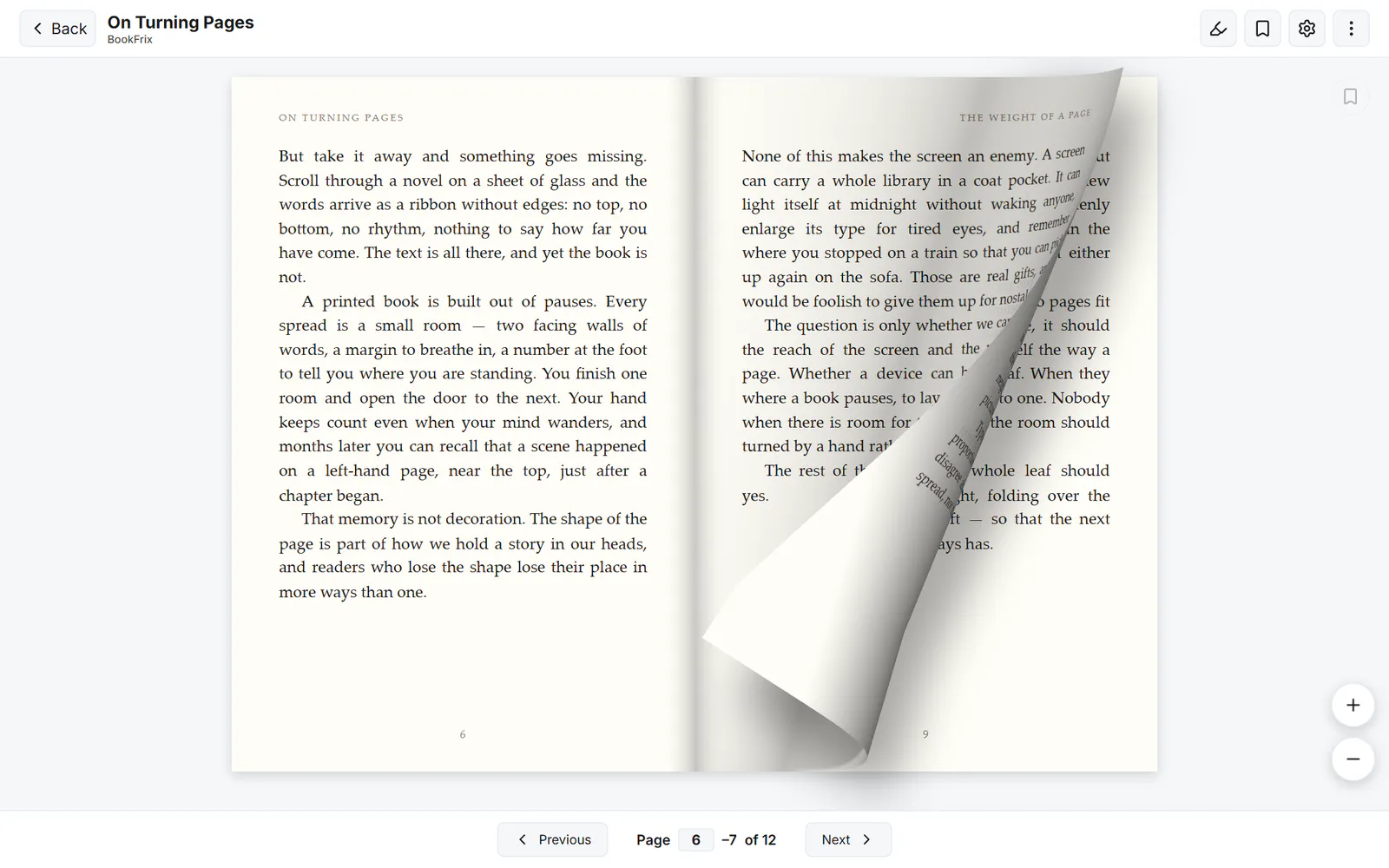
This isn’t a video. It’s the same WebGL page-curl engine that turns every PDF in BookFrix, running right here in your browser — the light, the shadow and a fold that follows your hand.
Opening the book…
Page 1of 12
Jump to
Drag from the edge and let go early: the page falls back. Pull past a third and it turns.
Jump to a chapter and several leaves flip at once, the way a bookmark jump does in the app.
Narrow your window and the book drops to one page — the reader decides the same way.
What’s inside
Everything a reader needs — nothing it doesn’t
Every screenshot below is the real app, captured from BookFrix as it runs today.
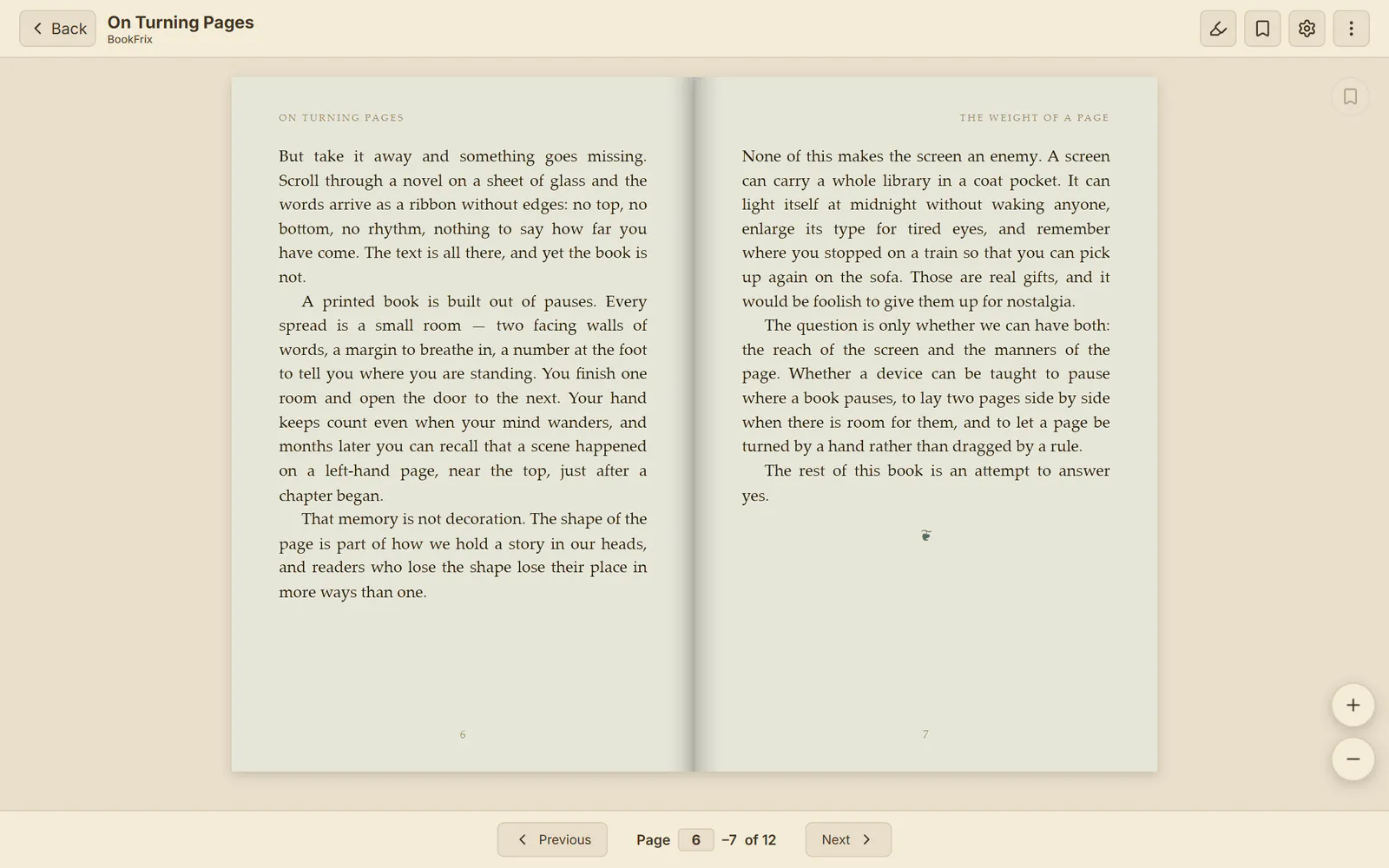
Facing pagesNEW
Two pages when there’s room, turned by hand
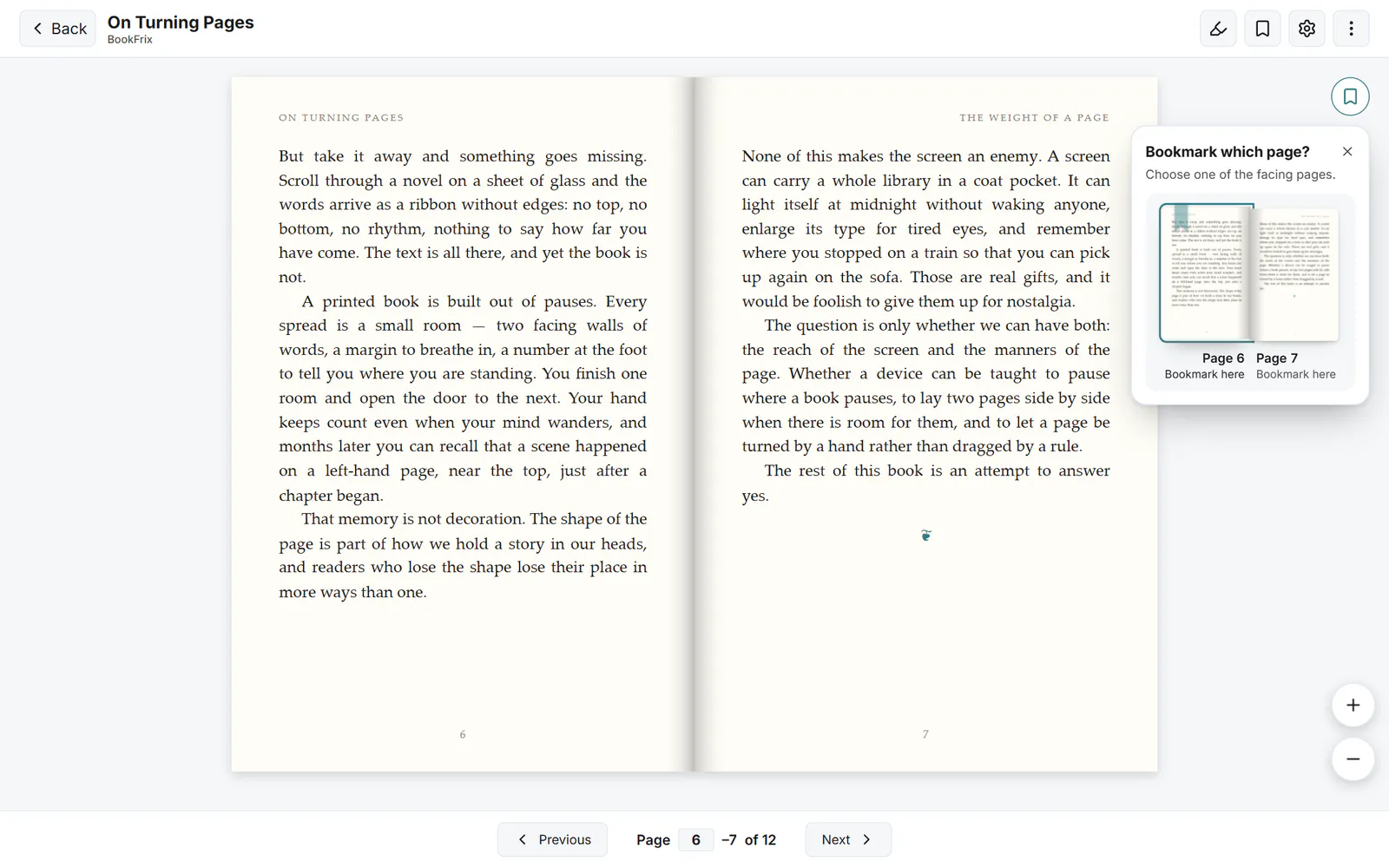
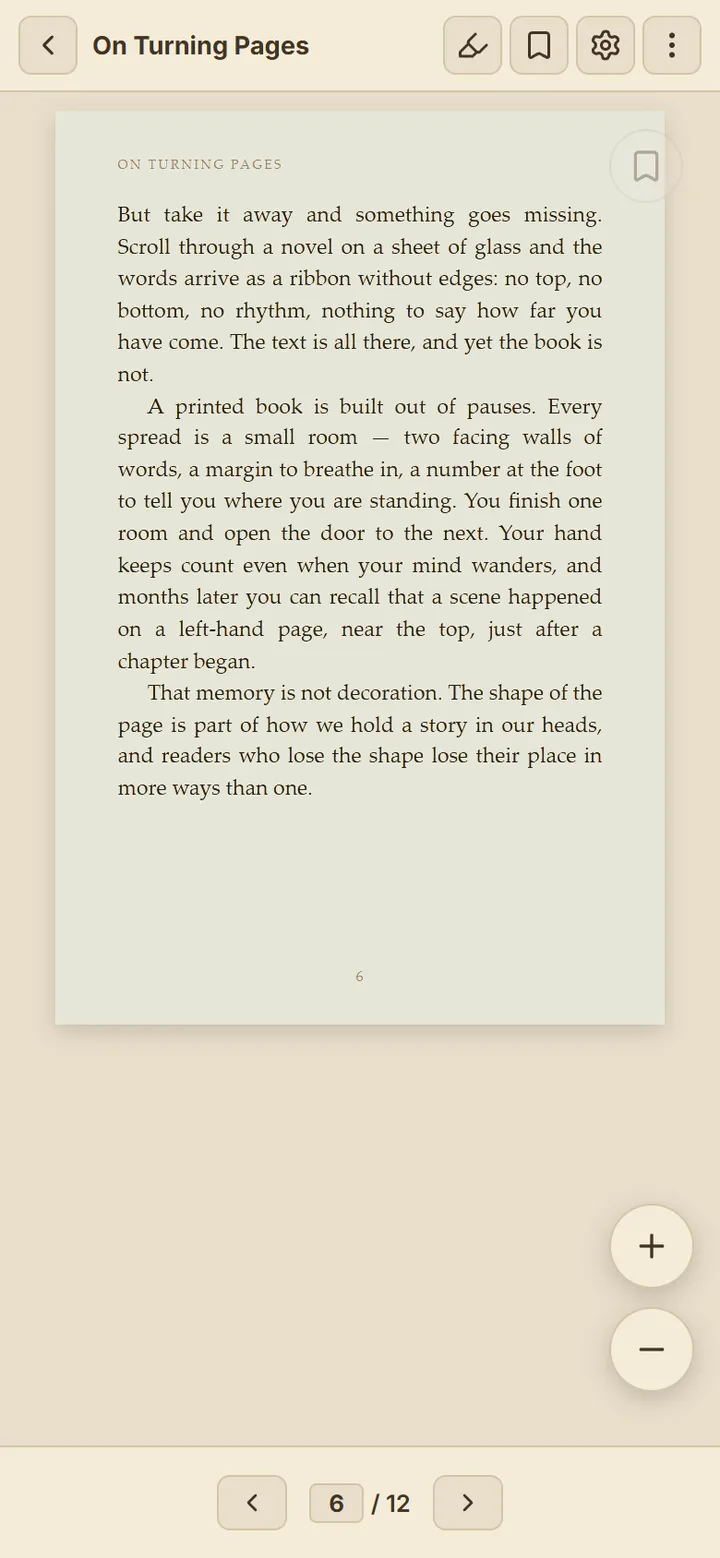
Open a PDF on a desktop, a tablet held sideways or an unfolded foldable and BookFrix lays it out as a spread, cover on its own like a real book. On a phone it goes back to one page — no setting to hunt for.
A 3D page curl that follows your finger, with light, shadow and a fold
A soft, synthesized paper sound on each turn — or silence, if you prefer
Left-to-right or right-to-left, for manga and RTL scripts
On a spread the bookmark asks which page you mean; jumping back flips through the pages between
book.frix.me/reader
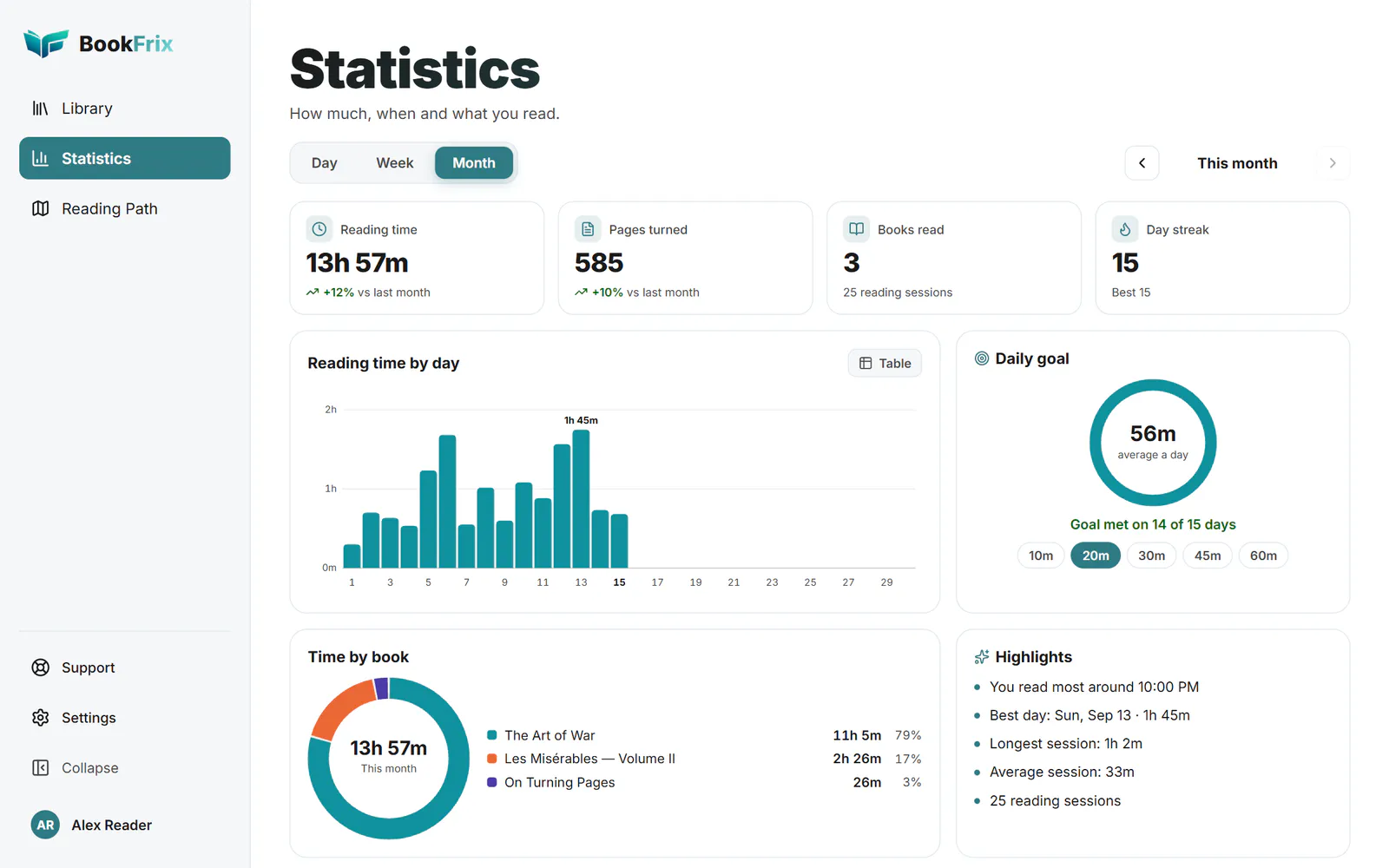
Reading statisticsNEW
See how you actually read
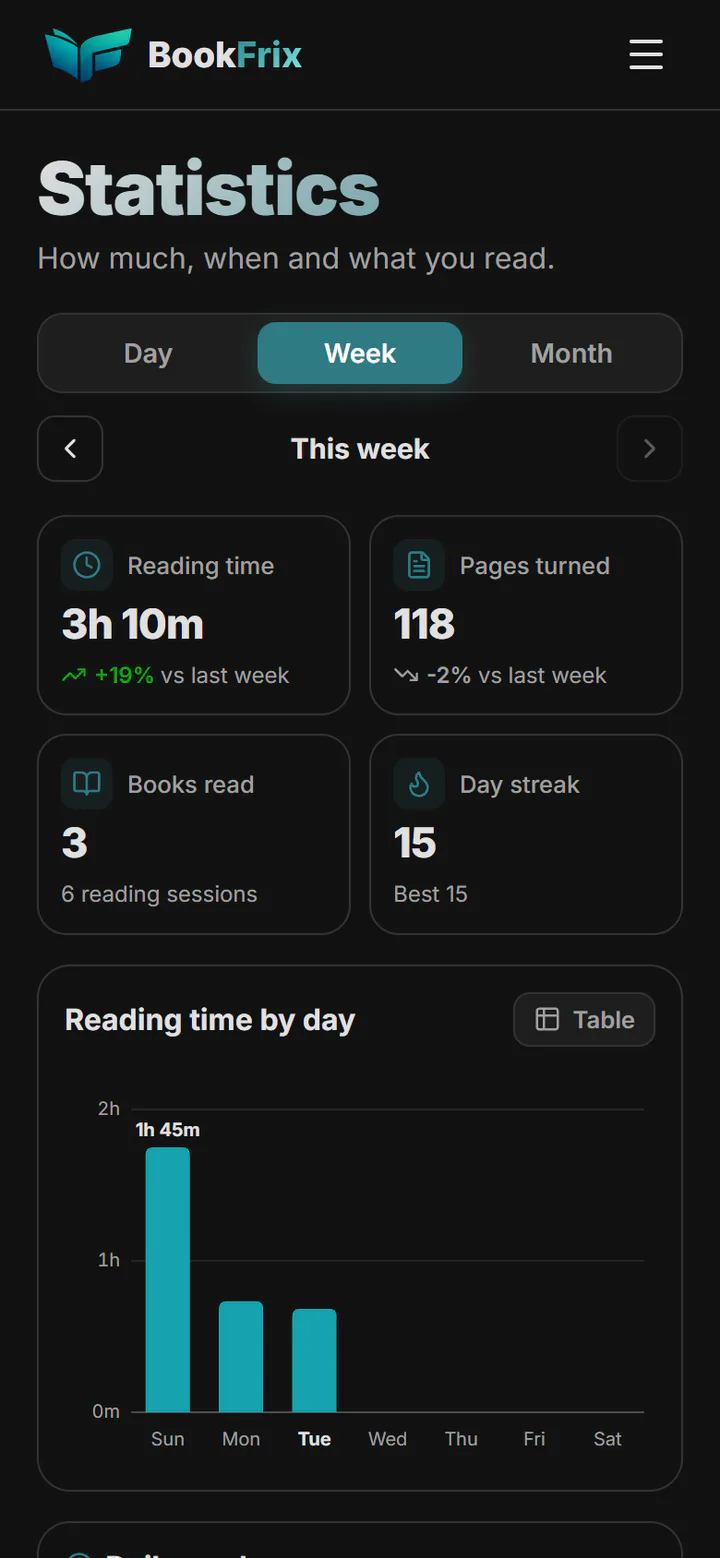
A Statistics page built on real reading sessions: only the time you spend with a book open and in front of you counts, so a tab left open overnight doesn’t pad your numbers.
Reading time by day, week or month, and pages turned
A daily goal you pick, and a streak that keeps count
Time per book, your best day and the hour you usually read
Recorded on your devices and synced to your account — never public
book.frix.me/stats
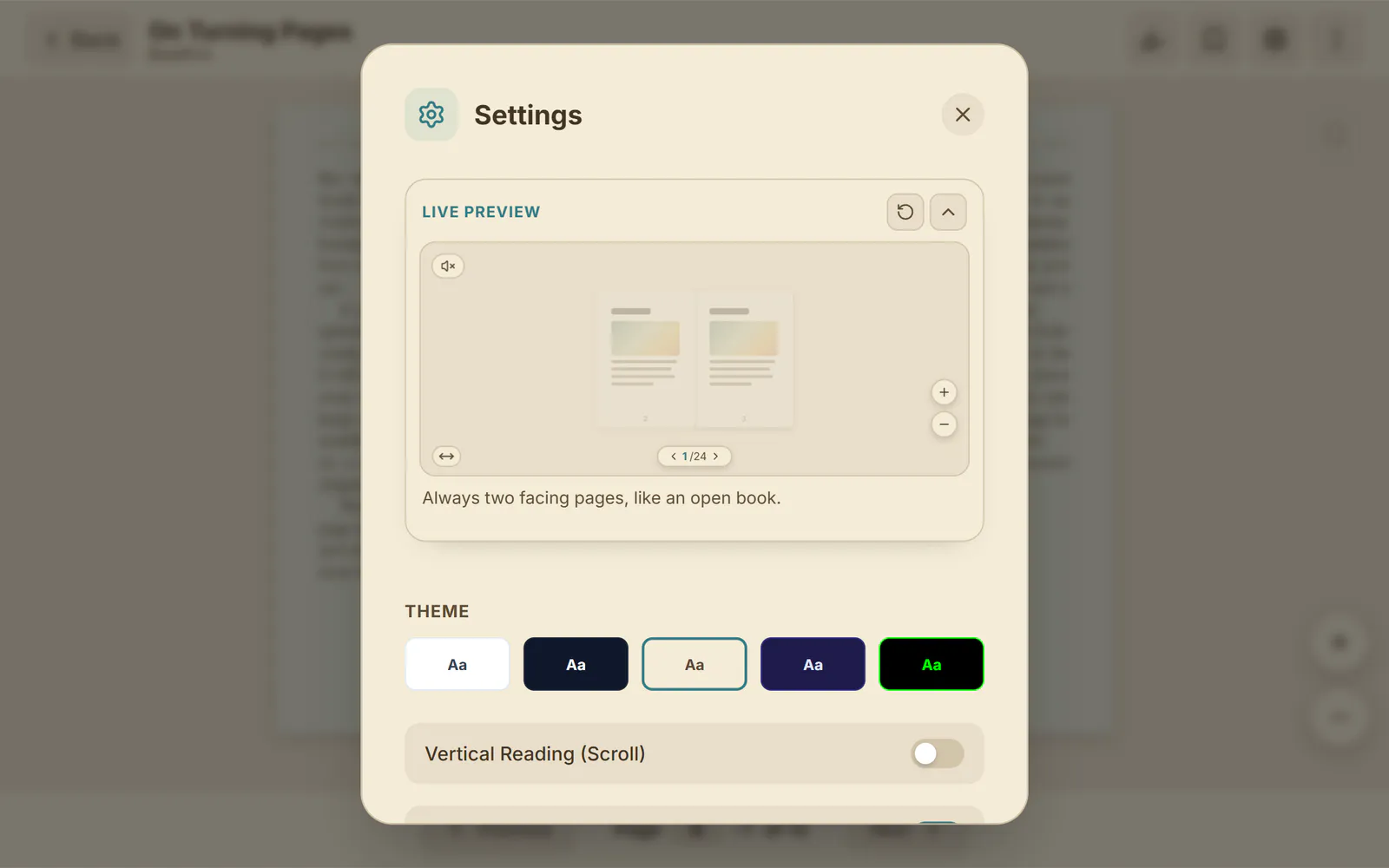
Reader settingsNEW
Tune the page and watch it change
A live preview sits at the top of the reader settings and redraws as you go, captioning what you just changed. Pick a theme, the page turn, facing pages, focus sounds and more without leaving your place.
Five themes: Day, Sepia, Night, Twilight and a green-on-black Console
Theme colours applied to scanned pages and images too, if you like
Curl or fade, one page or two, and auto-cropped white margins
Changes apply the moment you make them
book.frix.me/reader
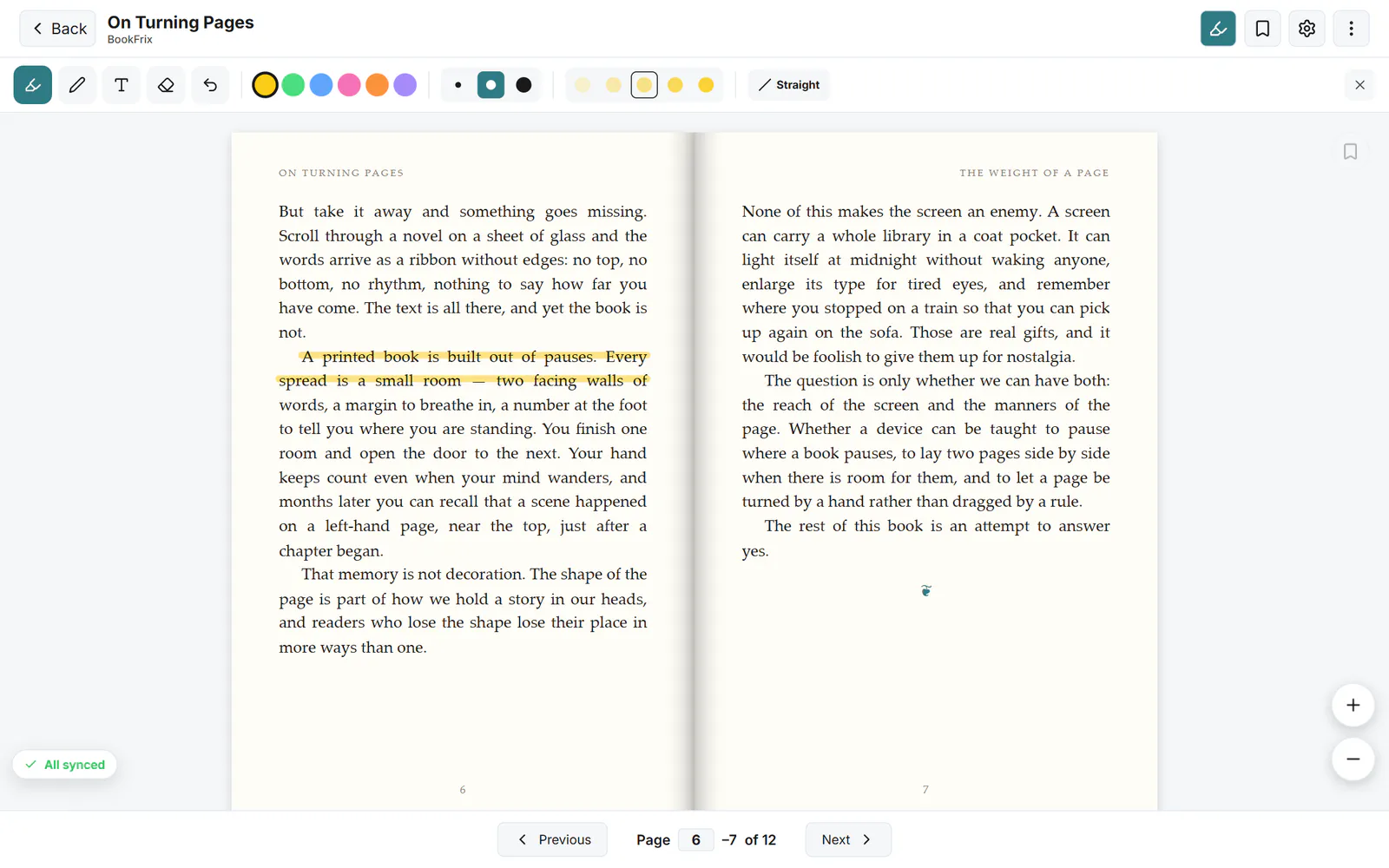
Annotations
Mark it up like paper
Highlight a line, underline with a pen, pencil or fountain pen, drop a text note in the margin and erase what you don’t need. Undo is one tap away.
Highlighter in six colours, with a straight-line mode
Pen, pencil and fountain pen, in several sizes
Highlights, notes and bookmarks sync to every device
book.frix.me/reader
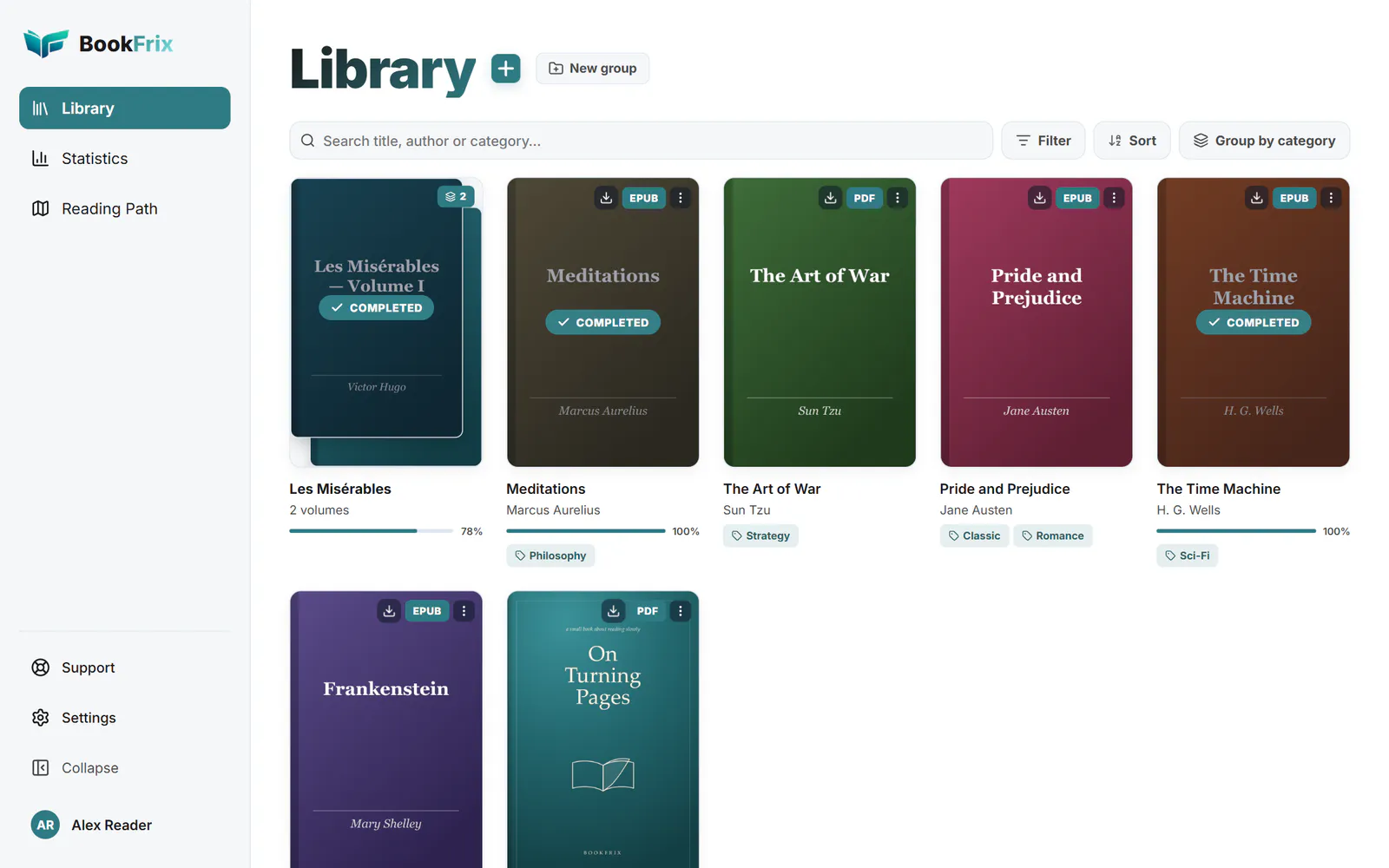
Your library
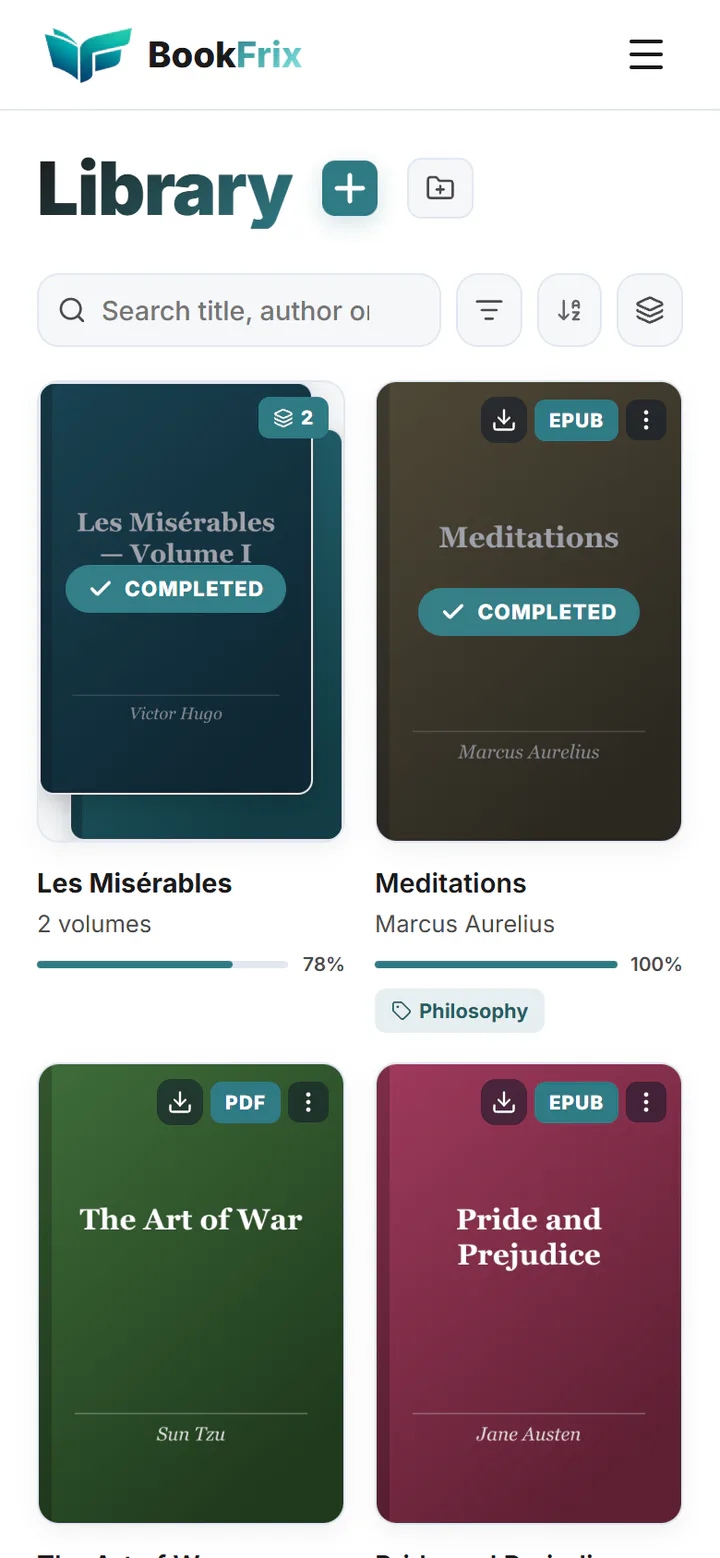
A shelf that works offline
Upload EPUBs and PDFs up to 200 MB. Every book you open is kept on your device, so it opens instantly next time and still opens on a plane.
Download any book ahead of time for offline reading
Progress, highlights and bookmarks sync the moment you’re back online
Categories, favourites, search, filters, and multi-volume works grouped behind one cover
book.frix.me
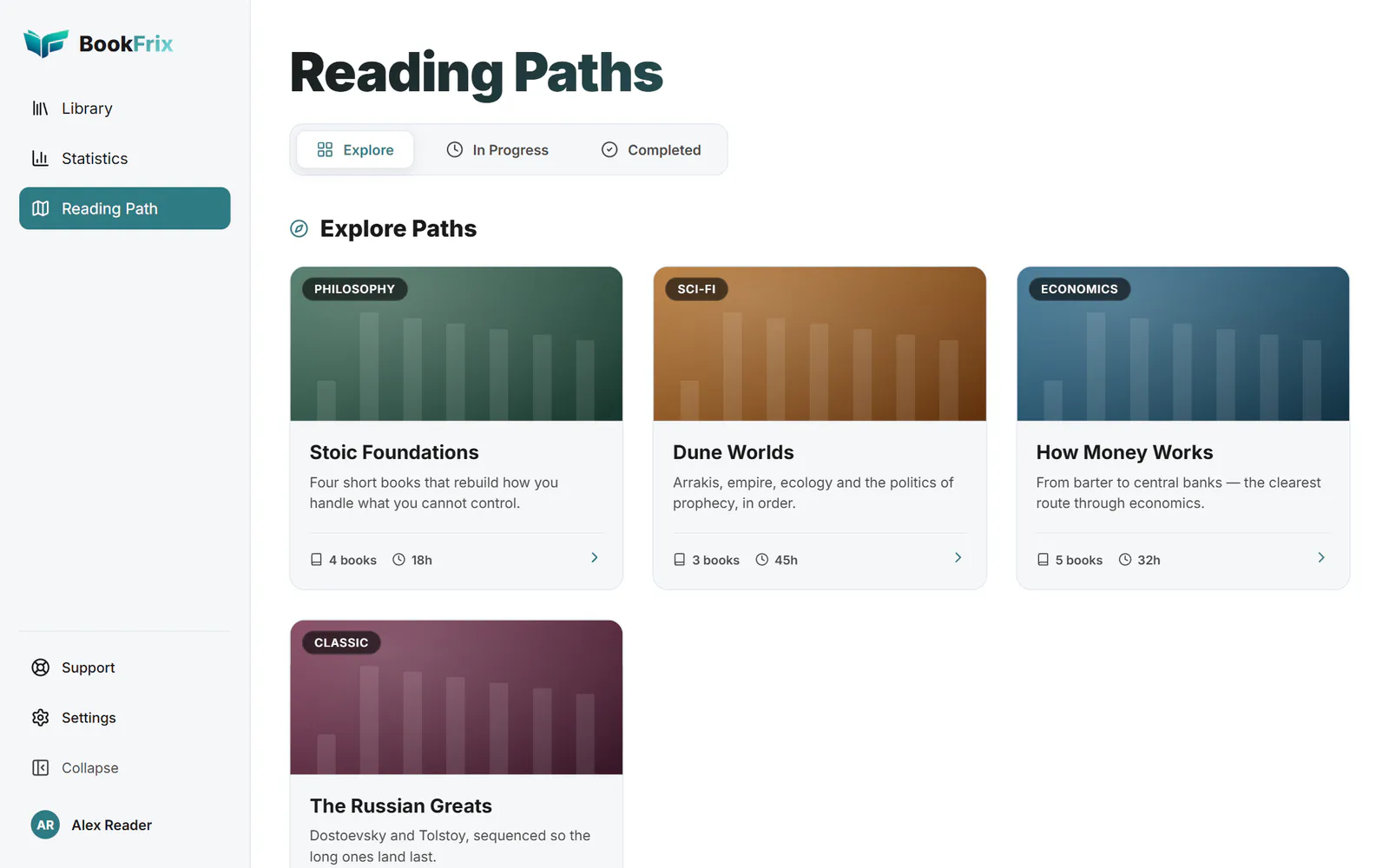
Reading paths
Follow a path through the books
Curated journeys — an ordered set of books, each with a note on why it’s worth your time. Tick them off as you go and pick up where you left off.
Explore paths by subject and difficulty
Track what’s in progress and what’s done
book.frix.me/paths
Five themes
Day, sepia, night — and two more
The same spread in each reader theme. Themes recolour the PDF page itself, not just the frame around it.
book.frix.me/reader
And more
The small things that make it yours
Focus sounds
Lo-fi, café, library, nature, white, brown and grey noise, and binaural tones — endless ambience that plays under your book.
Motion cues
Reading in a car or on a bus? Faint dots drift with the vehicle’s motion, giving your eyes the cue your inner ear expects — so reading makes you less queasy.
Share a book
Send a link and the other person adds the book to their own library — with your highlights and notes, if you choose. Revoke it any time.
A guide to start
New accounts open with the BookFrix user guide on the shelf and a short tour, so there’s something real to read on day one.
No password
Sign in with Google or Telegram. Your account is created the first time you do.
Installs like an app
Get the Android app on Google Play, or add the web app to your home screen or desktop. It opens full screen and keeps working without a connection.
Questions
Frequently asked questions
Is BookFrix free?
Yes. There is no subscription, no ads and nothing to unlock. Create an account and start reading.
Which formats can I read?
EPUB and PDF, up to 200 MB per file. Large PDFs open quickly because only the pages you are looking at are downloaded at first.
Does it work offline?
Yes. Every book you open is saved on your device, and you can download any book ahead of time. Reading, highlights and bookmarks work without a connection and sync when you’re back online.
Will my place follow me to my other devices?
Yes. Your reading position, highlights, notes, bookmarks and reading statistics sync to your account and appear on every device you sign in on.
Do I need to install anything?
No. BookFrix runs in any modern browser. If you want it one tap away, get the Android app on Google Play, or on iPhone, iPad and computers add the web app to your home screen or desktop. It opens like an app, full screen and offline. See how.
When do I get the page curl and two facing pages?
When reading a PDF with pages turning sideways. Two pages appear whenever they fit at full size — on desktops, tablets held sideways and unfolded foldables — and you can choose one or two pages yourself in settings. The curl needs WebGL 2, which almost every current browser has; otherwise pages fade. EPUB books use a simpler transition. You can try the curl right on this page.
What do the reading statistics track?
Only the time you actively spend reading in BookFrix and the pages you turn. They’re private to your account: no leaderboards, no social feed, and no advertising or analytics trackers.
How do I sign in?
With your Google account or with Telegram. There’s no password to create, and your account is set up the first time you sign in.
Can I share a book with someone?
Yes. Create a share link from a book’s menu and whoever opens it can add the book to their own library, optionally with your highlights and notes. You can revoke the link at any time. Only share books you have the right to share.
How do I delete my account?
From the account menu inside the app. Your account, library and reading data are removed — this page explains exactly what happens. For anything else about your data, see the privacy notice.